
Download LightPDF Editor – PDF editor, PDF converter, PDF annotator, OCR, document management
Overview
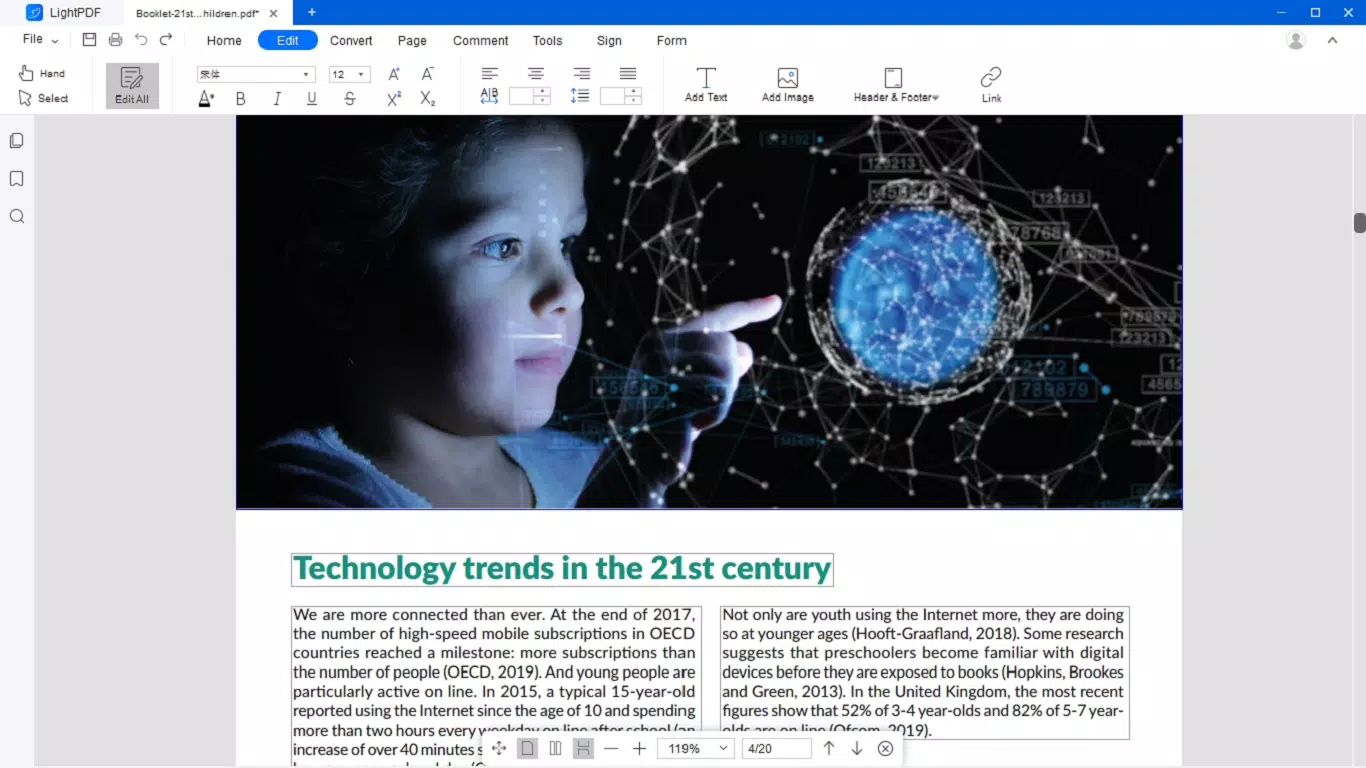
LightPDF Editor is a comprehensive mobile solution designed to simplify the handling of PDF documents across personal and professional workflows. The app functions as a unified platform for editing, annotating, converting, and managing PDF files, addressing common challenges associated with digital document manipulation. Users can modify text, adjust layouts, insert images, and add headers or footers with intuitive tools that mirror traditional word processing environments. This makes the app accessible to individuals with varying levels of technical expertise, from students managing assignments to professionals preparing reports.
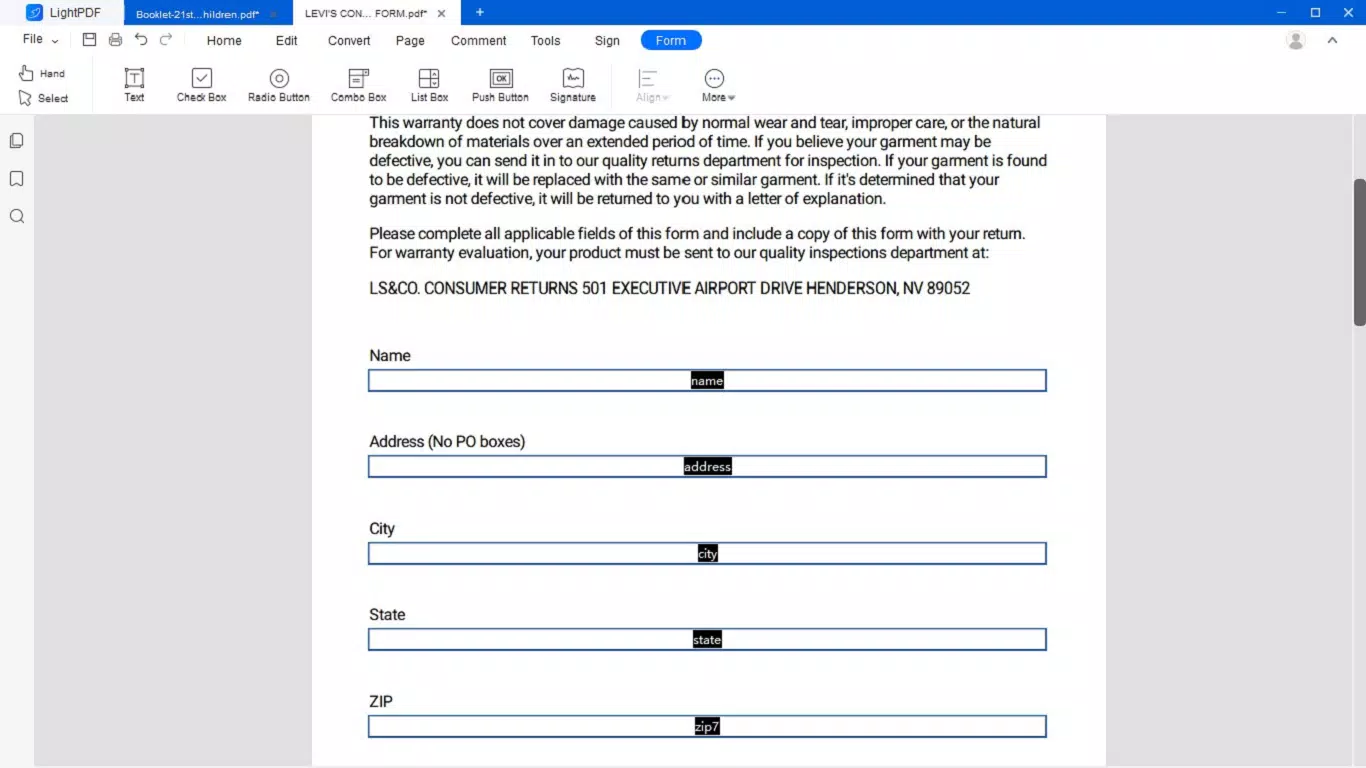
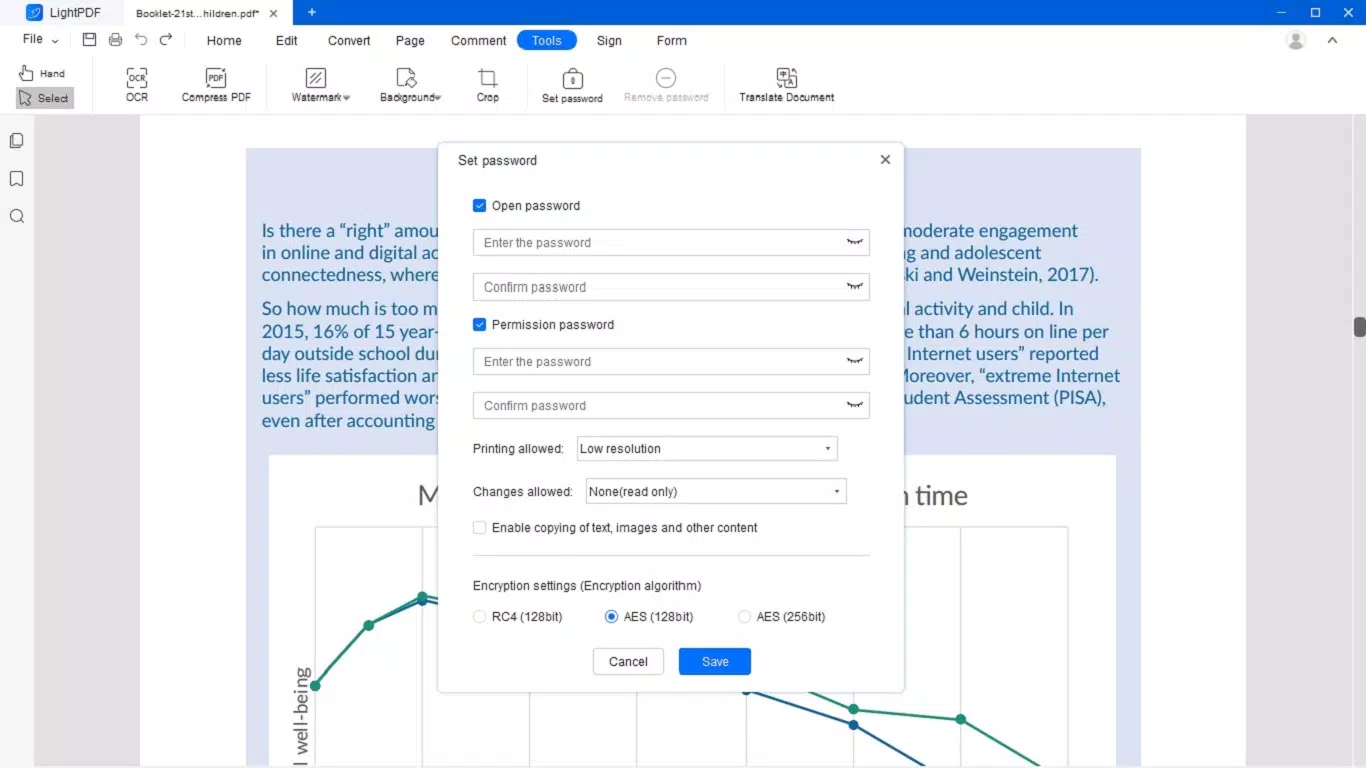
Designed with security in mind, LightPDF Editor ensures confidentiality during file handling, a critical factor when dealing with sensitive documents. The app supports cloud-based collaboration, enabling multiple users to work on the same file simultaneously while maintaining control over permissions. This feature enhances team productivity and streamlines review processes, particularly in remote or hybrid work settings. Real-world use cases include signing contracts, editing academic papers, converting scanned reports into editable formats, and organizing digital portfolios.
As part of the growing mobile productivity ecosystem, LightPDF Editor fills a key gap by offering advanced PDF functionality directly on smartphones and tablets. Its integration of OCR, conversion tools, and annotation features positions it as a versatile utility for modern digital workflows. The developer, LightPDF, has positioned the app as a secure, efficient, and user-friendly alternative to desktop-based PDF software, making it a valuable tool for on-the-go document management.
Key Features & Functionality
- Comprehensive PDF Editing: Users can modify text, fonts, colors, and document layouts directly within the app. This enables full customization of existing PDFs without requiring external software.
- Real-Time Collaboration: Multiple users can edit the same document simultaneously, with shared access and permission controls. Changes are automatically synced across devices through the cloud.
- Advanced PDF Conversion: The app supports conversion to and from formats including Word, Excel, PPT, JPEG, PNG, TXT, and HTML, enhancing compatibility with various software ecosystems.
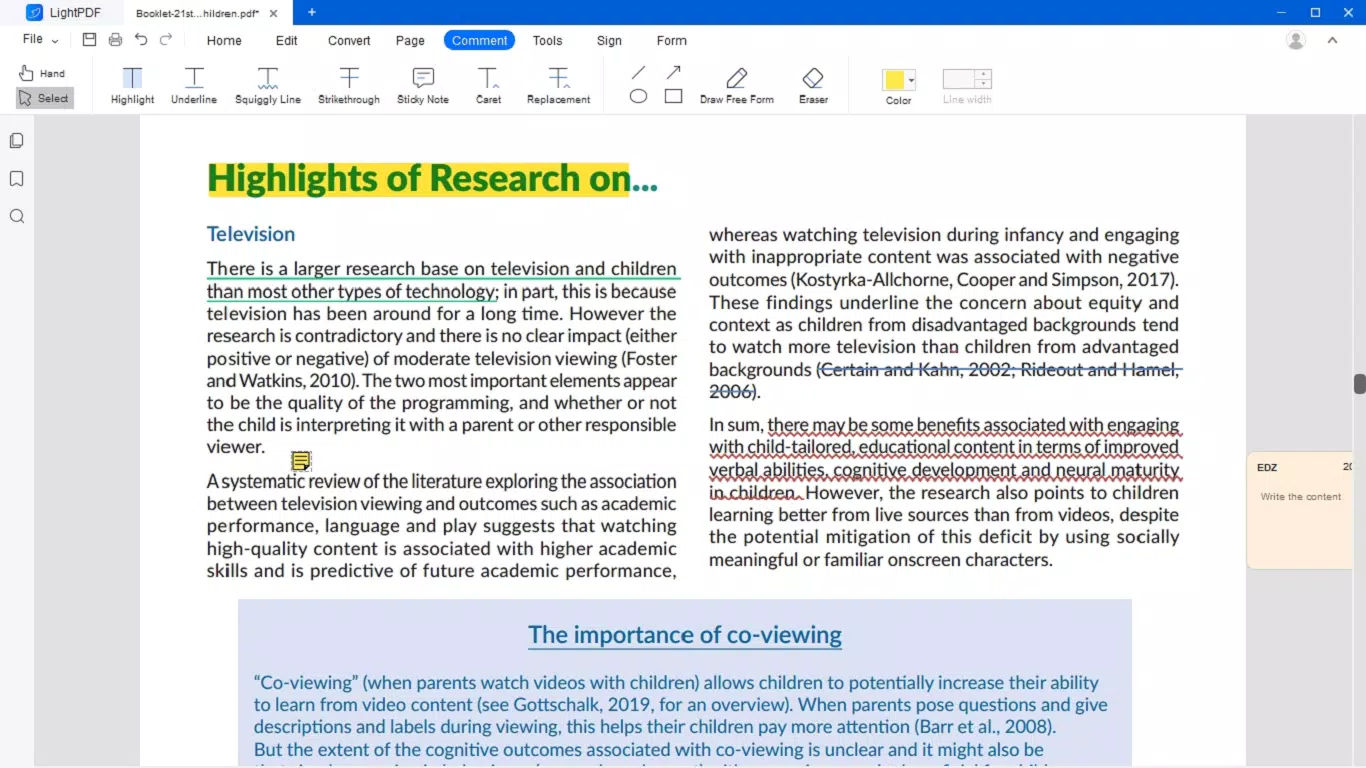
- Efficient Annotation Tools: Add digital signatures, comments, and watermarks—both text and image-based—to personalize and secure documents during review processes.
- OCR Technology: Built-in optical character recognition supports 25 languages, allowing users to extract and edit text from scanned or image-based PDFs, transforming static documents into editable content.
For example, a user can scan a handwritten contract, use OCR to extract the text, edit it directly in the app, and then convert it into a Word document for further refinement. Another common scenario involves a team member adding comments and signatures to a project proposal, with real-time updates visible to all collaborators. These features collectively reduce dependency on desktop applications and support a mobile-first workflow.
Interface, UX & Performance
The user interface of LightPDF Editor is designed with clarity and ease of access in mind. Navigation is streamlined through a bottom menu bar with clearly labeled icons for core functions such as editing, converting, annotating, and sharing. The visual layout maintains a clean, minimal aesthetic that reduces cognitive load, allowing users to focus on document tasks without distraction.
Touch-based interactions are responsive, and common actions like selecting text, inserting images, or applying annotations are executed with minimal taps. The app maintains consistent feedback during operations, such as visual indicators for saved changes or successful conversions. Although the developer did not list formal performance metrics, the app appears stable during typical use cases, with minimal lag during editing and conversion tasks.
Performance across different device categories is not explicitly detailed. However, the app’s 108 MB file size suggests optimized resource usage, which may contribute to smooth operation on mid-range Android devices. Stability during prolonged use and background operations was not disclosed, but the app’s reliance on cloud sync implies robust handling of file integrity and session continuity.
Platform Compatibility & Technical Requirements
LightPDF Editor is available exclusively on the Android platform. The current version is 3.5.0, released on August 28, 2024. The app has a file size of 108 MB, which is relatively compact for a feature-rich PDF utility. This size indicates efficient code optimization and minimal bloat, contributing to faster installation and reduced storage impact.
The developer did not specify minimum OS requirements or compatibility details beyond the Android platform. As such, users should verify device compatibility through official app distribution channels. No information was provided regarding support for tablets, foldables, or other Android form factors. The app’s availability on Google Play or other Android stores would determine access for different device types.
Pros and Cons
Pros
- Free to download and use, making it accessible to a broad audience.
- Comprehensive set of PDF tools in a single mobile application.
- Supports real-time collaboration with cloud synchronization.
- Includes OCR functionality for scanned documents, supporting 25 languages.
- Offers multiple conversion formats for seamless integration with other software.
Cons
- Specific technical requirements, such as minimum Android version, were not disclosed.
- Compatibility with non-Android devices is not confirmed.
- Performance on older or low-end devices was not verified by the developer.
- Cloud-based features may require a stable internet connection for full functionality.
- Advanced features may be limited in the free version, though no details were provided.
FAQ
Is LightPDF Editor safe to use on my Android device?
Yes, the app is designed with security and confidentiality in mind. It ensures that user data is protected during file handling and cloud synchronization.
Can I use LightPDF Editor without an internet connection?
Basic editing and annotation features can be used offline. However, real-time collaboration and cloud sync require an active internet connection.
Does LightPDF Editor support document sharing?
Yes, users can share documents via links or direct file transfer. The app also enables permission-based access for collaborative editing.
Is there a version of LightPDF Editor for iOS?
The developer has not indicated iOS availability. The app is currently only available on Android.
How often is LightPDF Editor updated?
The latest version, 3.5.0, was released on August 28, 2024. Regular updates are likely to maintain functionality and security, but no official update schedule was provided.
Final Thoughts
LightPDF Editor stands out as a powerful, free mobile tool for managing PDFs across diverse use cases. Its blend of editing, conversion, annotation, and OCR capabilities makes it a valuable asset for students, professionals, and remote teams. The app’s emphasis on security, real-time collaboration, and cross-format compatibility enhances its utility in modern digital environments.
While technical details such as OS requirements and device compatibility remain unspecified, the app’s lightweight design and feature-rich interface suggest broad accessibility. For users seeking a reliable, secure, and efficient PDF solution on Android, LightPDF Editor delivers strong value without a price tag.
Download LightPDF Editor now


